
Print and post
Registration flyer
One page, one job: get scanned. The code goes straight to registration, and the same address is printed in letters for anyone without a camera to hand.
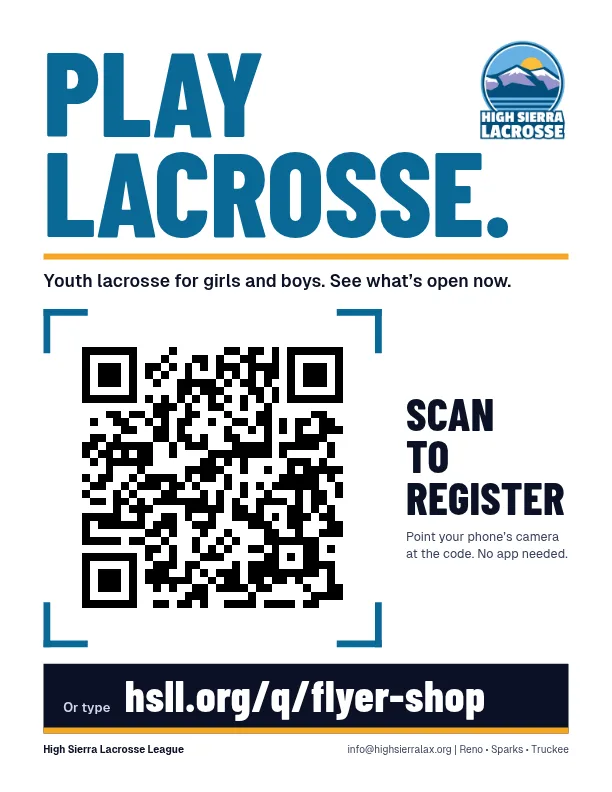
Where is it going?
Every flyer is the same except for its code. Pick the one that matches where you are posting it, so the league can see which places bring families in.
- Anywhere (general)PDF: Anywhere (general)
hsll.org/q/flyer
- SchoolsPDF: Schools
hsll.org/q/flyer-school
- Libraries and community boardsPDF: Libraries and community boards
hsll.org/q/flyer-library
- Shops and cafesPDF: Shops and cafes
hsll.org/q/flyer-shop
Printing it
- One US Letter page, in colour or black and white.
- Print at full size (100%) so the code stays big enough to scan from a few steps away.
- Post it flat and out of glare. A code that is creased or behind shiny plastic is harder to scan.
This one points at hsll.org/q/flyer-shop. Scans are counted by code only; nothing about the person scanning is kept.